The Shows tab is the home for production-level intelligence, allowing you to track specific sales cycles and customer trends.
1. Show Overview and Cross-Purchase Data
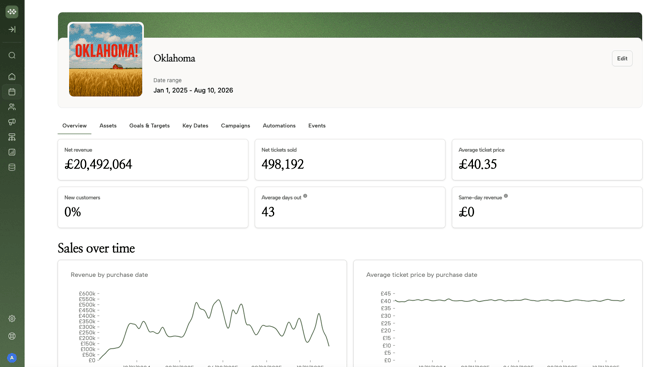
Click any production (e.g., Kiss Me, Kate) to see its performance dashboard.
-
Revenue vs. Ticket Price: Charts visualize gross revenue by purchase date compared to the average ticket price over time.
-
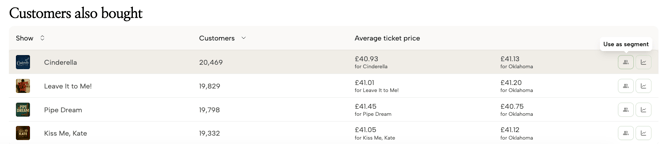
"Customers Also Bought" Logic: This section reveals crossover between your shows. For example, it might show that 40% of Cinderella buyers also purchased tickets for Oklahoma. You can instantly turn these insights into a new audience segment for cross-promotion.
2. Managing Show Assets
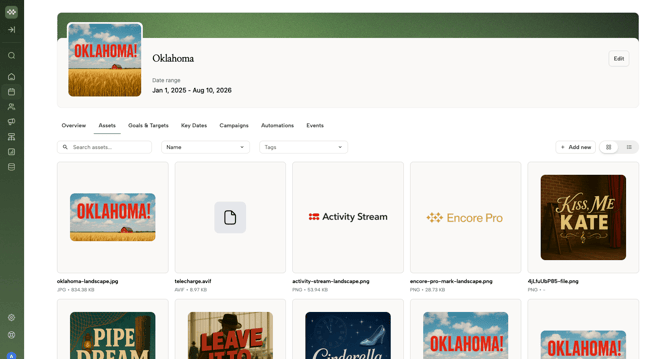
Centralize your show's creative files in the Assets tab.
-
Storage: Upload logos, production photography, and copy specific to that show.
-
Accessibility: Once uploaded here, these assets are easily retrievable when building your email campaigns.