Sometimes a performance is cancelled and you no longer want to send a message to your customers. In another example, you might have a default flow attached to all events but you have one that you do not want to send for, so you would want to remove it.
It is very simple to do this. All you need to do is to go into your event and click edit as if you were adding on a new flow.
Then it will bring up the page so you can filter and select the instances that you want to change the flow on. If the box has a tick, then this instance will be changed.
Then, instead of choosing a flow, select clear flow.
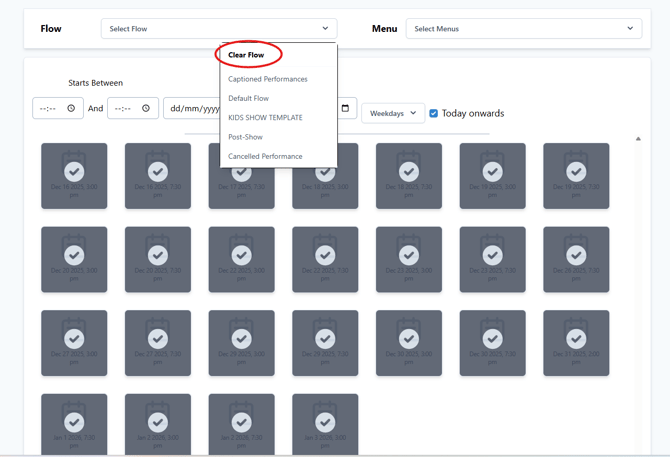
Hit "update" and the selected instances will have everything removed from them, including any default flow that may be added.
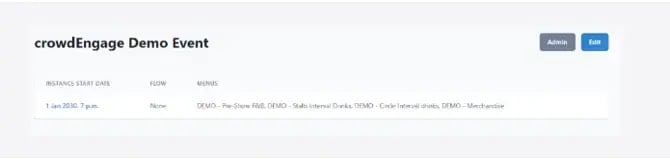
Now when you look at the event. You will see the flow is marked as "none" and nothing will send.